
5 Business Tasks You Didn’t Know n8n Can Automate
Explore five high-value n8n automations you can build fast—AI meeting follow-ups, lead-nurture DMs, phone agents, support triage, and auto-publishing—with templates to start.

Drew Semiraro
Sep 16, 2025
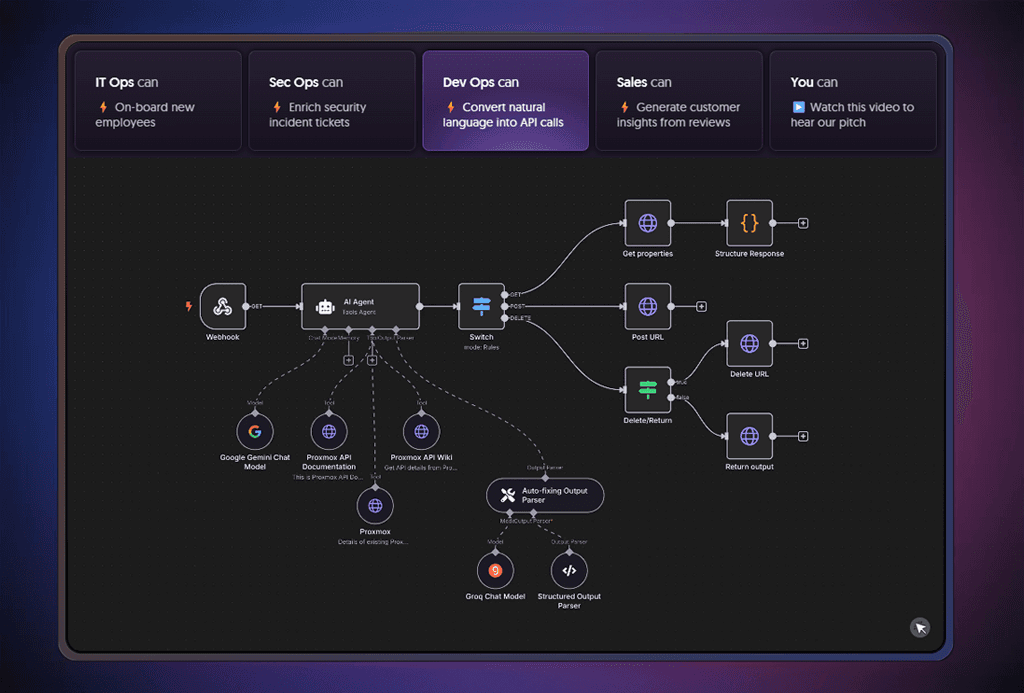
Where to Find the Latest n8n Automation Trends: To discover cutting-edge use cases, check out the official n8n Blog and community forums. The n8n team regularly publishes guides and examples of new automation workflows – especially those integrating AI with business processes [1]. Drawing on these current trends, here are five high-value business tasks that you might be surprised you can automate quickly using n8n.
1. AI-Powered Meeting Summaries and Follow-Ups
Imagine having an AI assistant handle all your meeting follow-up tasks. With n8n, you can automate an entire sequence after a Zoom or Teams meeting ends. For example, a workflow can perform the following steps [2]:
Transcribe and Summarize Meetings: Automatically retrieve the meeting recording/transcript (e.g. from Zoom) and use an AI service to generate a structured summary of key points and decisions [3].
Email Recap to Participants: Send the AI-generated meeting summary to all attendees via email (or chat apps like Slack/Teams) so everyone is on the same page.
Create Tasks and Next Steps: Parse the summary for action items and create tasks in your project management tool (e.g. ClickUp, Asana, or Outlook Tasks) for each follow-up action [4].
Schedule Follow-Up Meetings: If a follow-up call is needed, the workflow can automatically schedule it on the calendar with appropriate stakeholders – even generating a suggested agenda or itinerary using AI insights from the meeting [2].
All of this happens seamlessly. By automating meeting note-taking and follow-ups, teams save time and ensure nothing falls through the cracks. (In fact, an official n8n template demonstrates this by summarizing Zoom meetings, creating ClickUp tasks, and scheduling calls via AI [2].)
2. AI-Driven Lead Engagement and Sales Outreach
Another powerful trend is using n8n to build AI agents for sales and marketing. You can automatically engage with potential customers the moment they express interest – for instance, when someone clicks your online ad or submits a form. Here’s what an automated lead-nurturing workflow can do:
Instant Personalized Replies: Capture incoming inquiries or ad click events (e.g. a user sends a Facebook/Instagram DM after seeing your ad) and respond immediately with a friendly, AI-generated message [5]. Using integrations like ManyChat or the Facebook/Instagram API, n8n triggers an AI (such as GPT-4) to greet the lead in a personalized way, answering initial questions at any hour.
Qualify and Collect Information: The AI chat agent can ask the prospect qualifying questions (e.g. “What are you looking for?”) and gather details about their needs. n8n can then log this data into your CRM (e.g. Airtable or HubSpot) automatically [6]. The AI has access to your knowledge base (via a vector database) to provide accurate info on products, pricing, etc., so it nurtures the lead just like a sales rep would [6].
Multi-Channel Follow-Up: This agent can operate across channels – from Instagram DMs and Facebook Messenger to WhatsApp or web chat – ensuring every lead gets prompt attention on their preferred channel [6]. For example, n8n can integrate WhatsApp and an OpenAI-powered chatbot to handle FAQs or send follow-up content (like brochures or personalized offers).
Schedule Meetings and Close the Loop: When a lead is ready, the workflow can automatically schedule a demo or sales call on your calendar (via Google Calendar or Calendly integration) and send a confirmation email or message. It could even trigger an invoice or proposal to be sent once the lead agrees to buy. In fact, n8n’s own template library showcases an AI sales agent that handles lead qualification, provides information, and books consultations across chat platforms [6].
By automating early-stage sales conversations, businesses can scale their outreach dramatically. Every inquiry gets a fast, tailored response, improving conversion rates while freeing up your human sales team to focus on the hottest prospects.
3. Intelligent Phone Call Answering (AI Receptionist)
Believe it or not, n8n can help you automate phone calls using AI-driven voice bots. This means routine calls – like appointment bookings or FAQs – can be handled without a human receptionist, 24/7. A typical AI phone agent workflow looks like this:
Answer and Understand Calls: Using a telephony integration (such as Twilio), n8n can pick up incoming calls and convert the caller’s speech to text (with tools like Google Speech API or Whisper). The AI (via GPT-4) then interprets the caller’s request or question. Impressively, these voice bots can handle multiple languages and maintain natural-sounding conversations, thanks to AI voice synthesis (e.g. ElevenLabs for text-to-speech) [7].
Provide Information or Take Actions: The AI agent responds to the caller with a realistic voice. It can look up information from your databases in real-time – for example, checking your appointment calendar or inventory. Common use cases include scheduling appointments (e.g. booking a service visit or a table at a restaurant), answering product/service inquiries, or even taking orders over the phone [7]. The workflow updates back-end systems accordingly (for instance, logging the appointment in Google Calendar or recording order details in a Google Sheet).
Escalate When Necessary: For complex issues or unhappy callers, you can build logic to transfer the call to a human or at least record a message for follow-up. The AI can gather preliminary details (“What is your account number?”) before handing off, to save your team time.
This kind of voice automation is increasingly accessible. In fact, one n8n community solution demonstrated an AI phone bot that schedules appointments and takes pizza orders automatically, using GPT-4 for dialogue and Twilio for call handling [7]. Adopting an AI receptionist can ensure you never miss a call and deliver consistent service, all while saving staffing costs.
4. Automated Customer Support Triage and Responses
Customer support is a business area ripe for automation with n8n’s AI capabilities. You can offload a huge chunk of repetitive support work to an AI workflow, from triaging tickets to drafting responses. Here’s how such an automation can help your support team:
Smart Triage and Routing: n8n can listen for incoming support queries (via email, contact forms, or chat). An AI model analyzes each message in real time, categorizing it by issue type or urgency [8]. For example, simple FAQ-like questions might be tagged as low priority and answered automatically, while urgent or complex issues are flagged for a human. The workflow can then route the ticket to the appropriate person or team based on the category (e.g. billing questions go to Finance). This AI-driven categorization accelerates response times because the right agent gets the right ticket immediately [8].
AI Drafted Responses: For many inquiries, the AI agent can go a step further and compose a draft reply. By connecting n8n to your knowledge base (documents, FAQs, or past tickets stored in tools like Google Drive, Notion, or Confluence), the workflow uses an OpenAI node to generate a relevant answer tailored to the customer’s question [9]. The draft can be presented to a human support agent for quick review and editing, or in some cases sent directly if confident. For instance, an n8n workflow example shows an AI that reads a customer email and prepares a context-aware response based on company knowledge – essentially handling email support on autopilot [9].
Instant Resolutions for FAQs: Common questions (e.g. “How do I reset my password?”) can be answered instantly by the bot. n8n can detect these via AI and reply through the same channel (sending an email or chat message with the answer) without waiting for a human. This reduces the load on your support reps and provides customers with help in seconds, even outside business hours.
By automating support in this way, companies have seen huge efficiency gains. Your team spends less time on basic questions and firefighting, and more time on high-value customer interactions. Meanwhile, customers get faster, 24/7 assistance. It’s a win-win that modern AI-powered workflows (as highlighted in n8n’s guides) are making a reality [8] [9].
5. Content Creation and Publishing Automation
In the past, content marketing and creative tasks seemed impossible to automate – but with n8n and AI, even these can be streamlined. If your business invests time in blogging or social media, you can use n8n to generate and publish content automatically. Consider these examples:
AI-Generated Blog Articles: Feed your ideas or outlines into an AI node to produce a well-structured, SEO-friendly article. n8n can then post the content directly to your CMS (e.g. WordPress) along with relevant images. One template shows how an n8n workflow can take prompts from Google Sheets, use an AI like DeepSeek or GPT to write a full blog post (and even create images), then publish it on WordPress – all in one flow [10]. The workflow even updates a spreadsheet with the new post’s details, so you maintain a content log. This means you could, for instance, generate a month’s worth of blog posts in a fraction of the time.
Automated Social Media Posts: n8n can help create social media content without manual effort. For example, you might track trending topics on Instagram or Twitter and have an AI generate original posts based on those trends. An existing n8n template does exactly this: it scrapes trending Instagram posts, analyzes them with AI to understand what’s popular, then produces its own on-brand image and caption using generative AI [11]. The workflow can then automatically publish the post to your Instagram account and even send you a Telegram notification once done. This kind of automation keeps your social channels active and relevant with minimal human input.
By automating content creation, businesses can maintain a robust online presence while saving creative teams for higher-level strategy and quality control. Of course, human oversight is still important (to review AI-generated content for accuracy and tone), but n8n can handle the heavy lifting of drafting and publishing. The latest automation solutions make it surprisingly easy to plug in AI content generation into your marketing workflows [10] [11].
FAQs
What are the quickest high-value automations I can build in n8n with AI?
Start with meeting summaries and follow-ups, where a workflow pulls a Zoom or Teams transcript, generates an AI summary, emails a recap, creates tasks, and books a follow-up if needed. Another fast win is AI-driven lead engagement that greets new inquiries on channels like Instagram, WhatsApp, or web chat, qualifies the prospect, logs details to your CRM, and offers calendar slots automatically. You can also deploy an AI receptionist that answers calls, understands intent, books appointments, or checks inventory. Support triage is equally quick to set up: classify incoming tickets, route them, and draft replies from your knowledge base. Finally, content ops can be automated end-to-end by turning a brief into an AI draft, generating images, publishing to your CMS, and syndicating to social.
How do I automate meeting summaries and follow-ups with n8n?
Trigger the workflow when a meeting ends or a new recording is available, fetch the transcript, and have an AI model generate a structured summary with decisions and action items. Send the recap to attendees by email or chat, convert action items into tasks in your PM tool with owners and due dates, and, when a follow-up is warranted, create the calendar event and attach a short agenda drafted from the summary so the next meeting starts with alignment.
Can n8n run an AI sales/lead agent across Instagram, WhatsApp, and web chat?
Yes. n8n can listen for DMs, form submissions, or ad-driven clicks, trigger an AI greeting that asks qualification questions, and answer product or pricing queries using your documented knowledge. The workflow can store responses in your CRM, score the lead, present available calendar times, book the meeting, and send confirmations. For reliability, add guardrails such as rate limits, confidence thresholds, transcript logging, and human handoff when the model is uncertain or the conversation becomes complex.
How does an AI phone bot (“receptionist”) work in n8n?
Incoming calls are received through a telephony service like Twilio, transcribed to text, and passed to an LLM that manages the dialogue and decides on the next action. The bot replies with a realistic voice via text-to-speech and can check calendars, look up inventory, place simple orders, or capture caller details while writing everything back to your systems. When confidence drops or a caller requests a person, the flow can transfer to a human or record a message, and all interactions are logged for QA and follow-up.
What’s the best way to automate customer support triage and replies?
Ingest tickets from email, web forms, or chat, classify them by topic and urgency with AI, and route them to the appropriate queue with the right SLA. Generate draft responses from your knowledge base for agent review, and auto-send only the highest-confidence FAQ replies. Keep a human-in-the-loop for sensitive or complex cases, record every action back to your helpdesk or CRM, and track metrics like first response time, auto-resolution rate, and CSAT so you can refine prompts and routing logic over time.
How do I automate content creation and publishing without hurting quality?
Use a two-pass approach that plans in JSON first and then produces the final copy from that approved plan, which keeps structure consistent and reduces rewrites. Enforce brand voice and factual accuracy by referencing a style guide and authoritative pricing or offer files, then generate on-brand images from a concise creative brief. Publish to your CMS with metadata and alt text, auto-create social variants, and retain a lightweight human QA step for accuracy and tone. Version your prompts and store sources so you can audit outputs and continuously improve the workflow.
More Insights
[
Paid Media
]
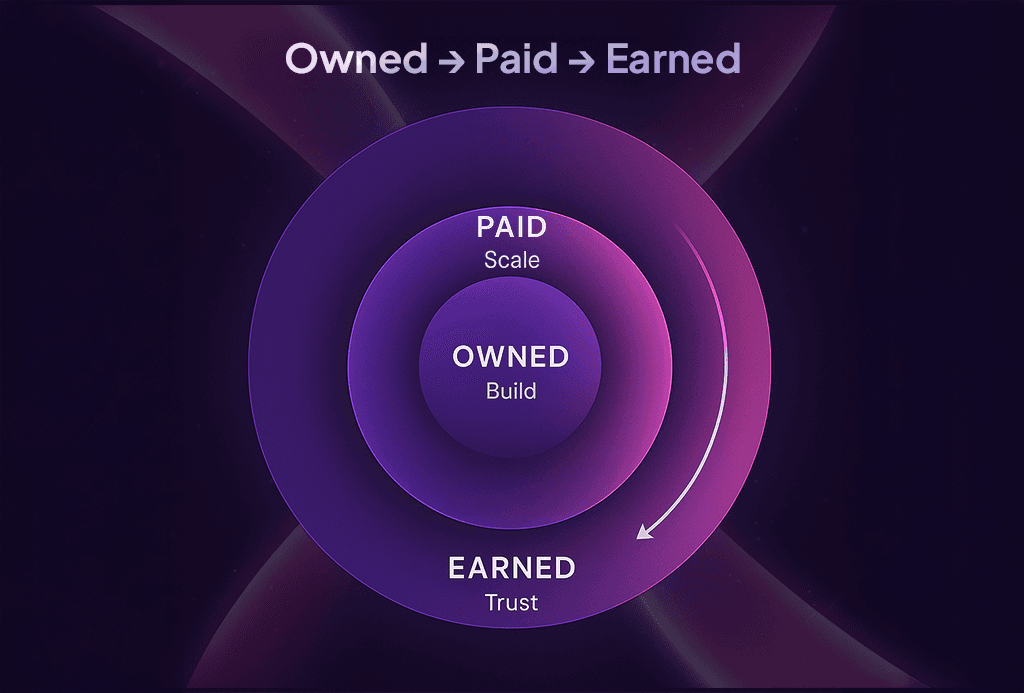
Stop Wasting Ad Spend: Owned → Paid → Earned
Build high-converting owned assets, scale with paid, and amplify with earned. Don’t let ad spend go to waste in 2025.
[
TIPS
]
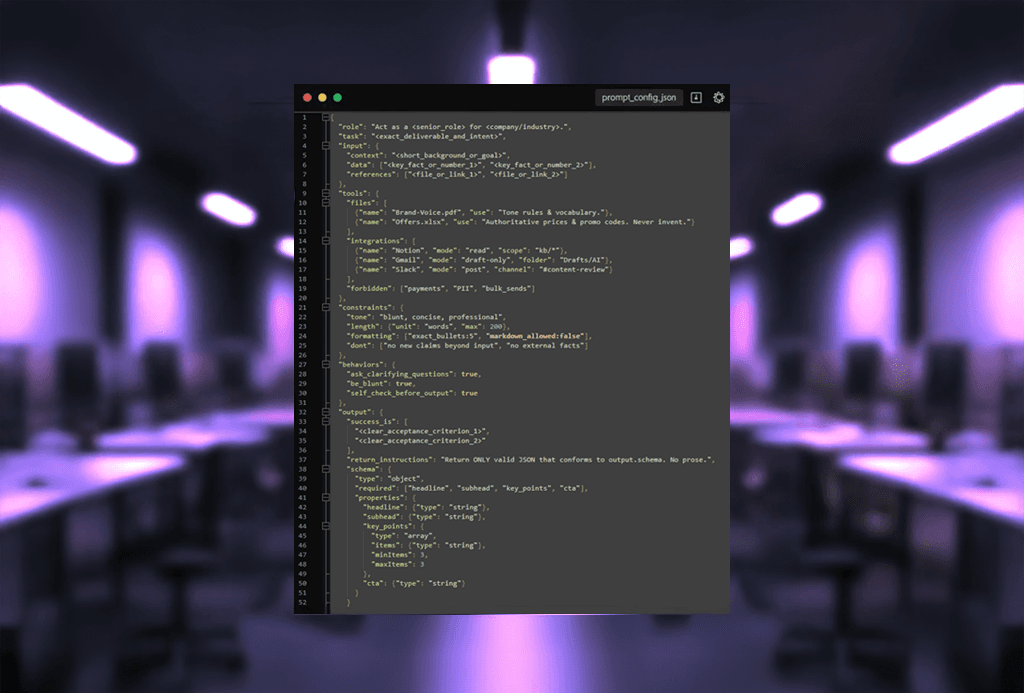
Prompt Engineering: RTITCO + JSON Handoffs for Consistent Output
Use structured prompts (RTITCO) and JSON-first workflows to ensure outputs are consistent, auditable, and automation-ready.
[
AI AUTOMATION
]
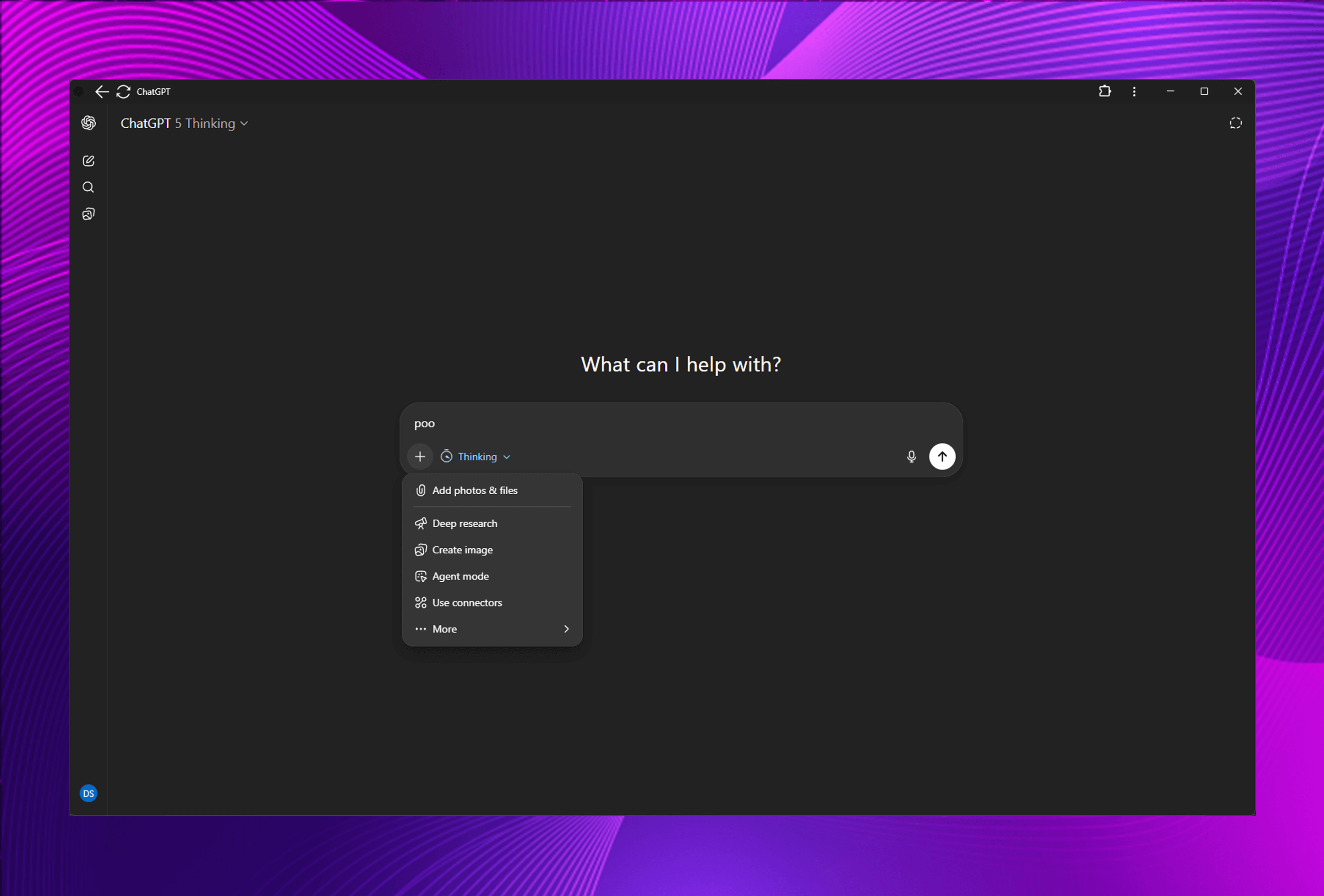
ChatGPT-5 Thinking Modes & New Tools Explained
Deep Research, Agents, Canvas, Web Search, Image Creation—A Practical Guide to Commercial-Grade Output