AI AUTOMATION
ChatGPT-5 Thinking Modes & New Tools Explained

Drew Semiraro
Partner
TL;DR
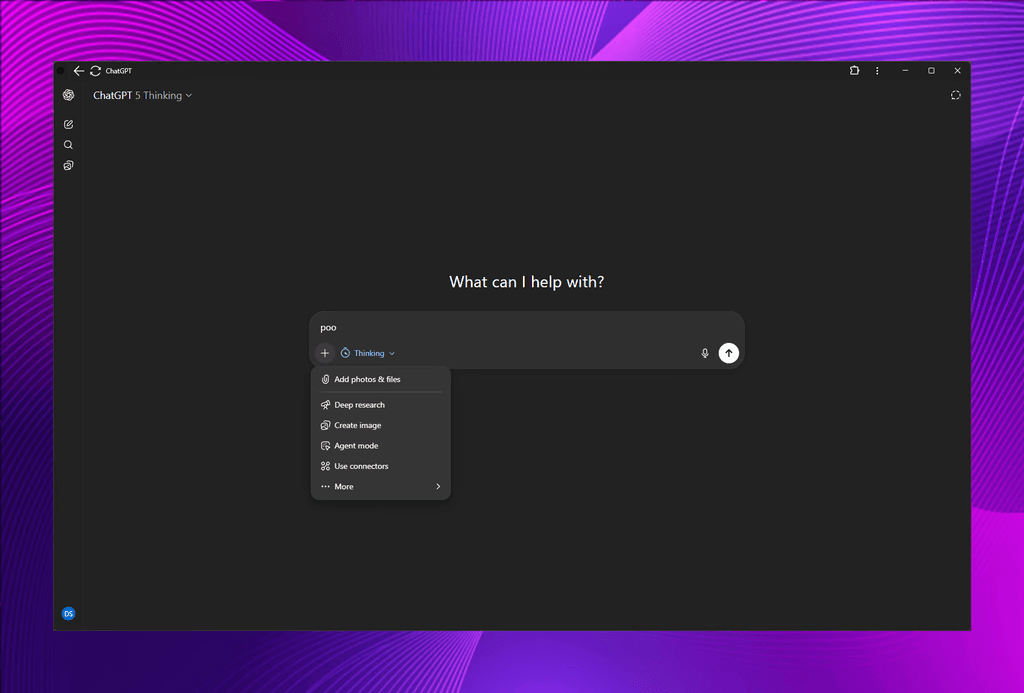
ChatGPT-5 adds selectable thinking modes (Auto, Instant, Thinking, Extended Thinking, Pro) plus new features—Deep Research, Create Image, Agent Mode, Study & Learn, Web Search, and Canvas. Use Instant for speed, Thinking for analysis, Extended for thoroughness, and Pro (if available) for research-grade work. Pair these with a JSON-first, two-pass prompt (Role-Task-Input-Tools-Constraints-Output; RTITCO) to get consistent, automation-ready results that drop into your toolchain (Notion, Slack, Gmail, n8n, etc.).
Why this matters
Most disappointments with AI come from mode-mismatch (you asked for depth but used a fast mode) or prompt ambiguity. ChatGPT-5 lets you set the thinking gear and gives you workflow features that turn one-off chats into repeatable production assets.
The Thinking Modes (When to Use What)
Auto – Hands-off routing. Good for casual use. Manually override for critical tasks.
Instant – Prioritizes speed. Use for quick answers, idea lists, starter drafts, small code snippets.
Thinking – Structured reasoning. Use for analysis, strategy, troubleshooting, longer copy with logic.
Extended Thinking – More time & depth. Use for high-stakes analysis, long reports, multi-step plans.
Pro (if available) – Research-grade depth and large context. Use for expert reviews, long docs, complex modeling.
Rule of thumb:
Quick & low-risk → Instant.
Nuanced or multi-step → Thinking.
Exhaustive or high-stakes → Extended/Pro.
The New Feature Set (What They Do & Best Uses)
1) Deep Research
A guided research workflow that spends more time synthesizing sources, organizing findings, and surfacing contradictions.
Best for: Landscape scans, competitor briefs, policy/technical digest, annotated outlines.
Tip: Pair with Extended Thinking for comprehensive, citation-rich takeaways; follow with your JSON second pass to standardize format.
2) Create Image
Inline image generation (DALL·E-class) with prompt, style, and size controls.
Best for: Blog headers, diagrams, ad concepts, UI mockups, iconography.
Tip: Precede with a content brief in JSON (audience, mood, brand colors, do/don’t) so image prompts inherit brand rules.
3) Agent Mode
Lets ChatGPT run multi-step tasks (reason, call tools, iterate) toward a goal.
Best for: Data transforms, content pipelines, QA passes, routine ops checklists.
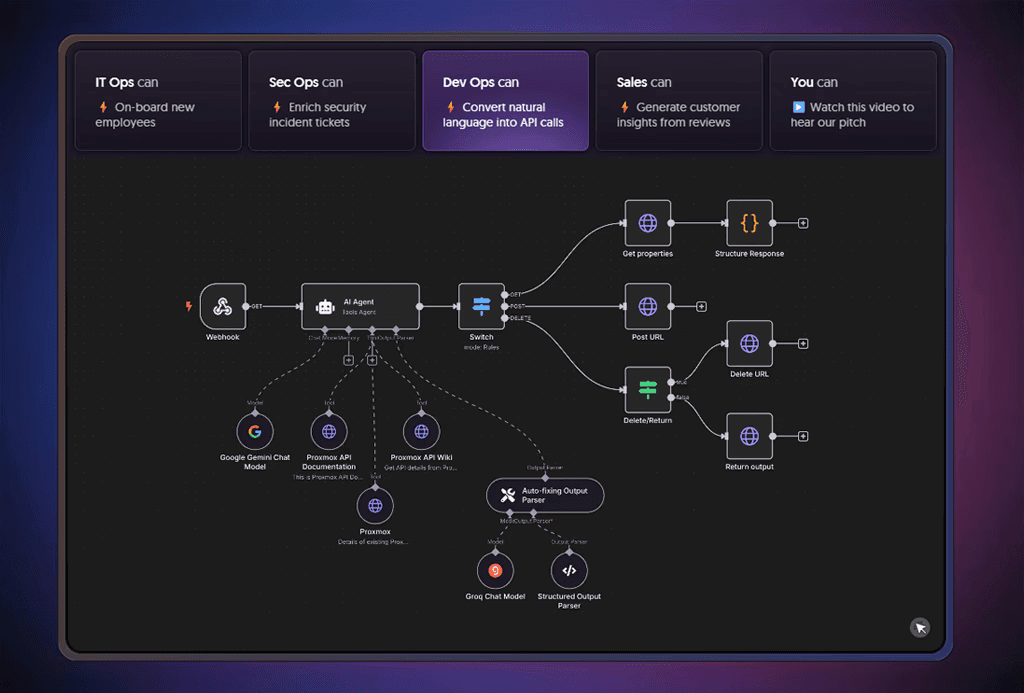
ChatGPT Agents vs n8n Agents:
ChatGPT Agents = in-chat autonomy with built-in tools; great for creative/knowledge work.
n8n Agents = workflow-native automations with APIs, webhooks, schedulers, queues; best for production systems (send emails, write to CRMs, trigger Slack alerts).
Pattern: Design & validate the reasoning + JSON schema in ChatGPT; operationalize in n8n for reliability and traceability.
4) Study & Learn
Turns content into micro-courses: learning objectives, summaries, quizzes, spaced recall.
Best for: Onboarding, product knowledge, SOP refreshers, certification study.
Tip: Upload a PDF/manual, ask for a role-based curriculum + quiz bank; export to LMS or Notion.
5) Web Search
Pulls current information from the open web for fresh, attributable answers.
Best for: Market stats, recent news, library docs, product specs.
Tip: Request inline citations and a sources JSON so you can audit and store references.
6) Canvas
A shared, always-on workspace for long-form drafting and code (great for proposals, specs, multi-file artifacts).
Best for: Iterating on case studies, sales decks, landing pages, React components.
Tip: Use Canvas to co-edit; keep the authoritative structure in JSON so you can re-render variants programmatically.
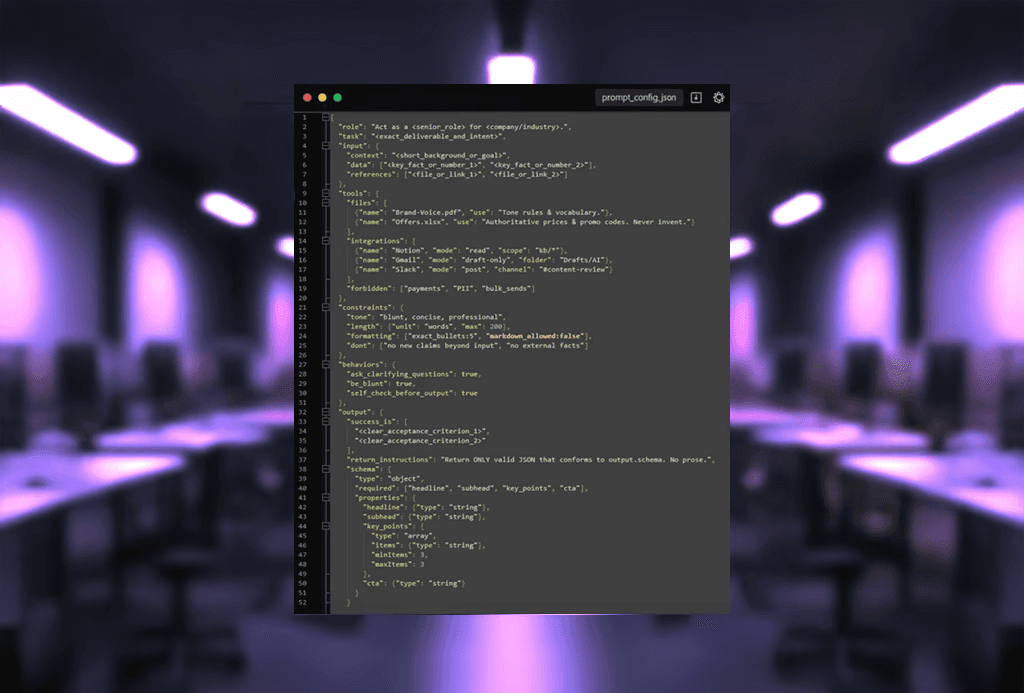
Proven Workflow: JSON-First, Two-Pass (RTITCO)
Pass 1 – Plan in JSON
Role, Task, Input, Tools, Constraints, Output schema (RTITCO).
Require: “Ask clarifying questions first; be blunt.”
Return only the JSON plan.
Pass 2 – Produce
Feed the JSON back as
planand ask for the deliverable (copy, brief, image prompts, code).Benefits: higher adherence, easy QA, and automation-ready.
Works brilliantly with Thinking/Extended: the model spends effort once (the plan), then you can produce many consistent assets (email, ad, blog, image) from the same schema.
Practical Recipes for Business/Marketing
1) Content Ops (Blog → Social → Email)
Mode: Thinking → Extended
Features: Deep Research, Canvas
Flow: Research brief (citations) → outline → long-form draft → JSON snippets for meta, CTAs, social posts → publish.
2) Paid Media Creative Sprints
Mode: Instant → Thinking
Features: Create Image, Canvas
Flow: Idea list in Instant → select winners → Thinking expands to copy variations → image prompts → export to ad manager.
3) Data Summaries & Exec Briefs
Mode: Thinking / Extended
Features: Web Search, Agent Mode
Flow: Pull fresh stats + sources → normalize → executive TL;DR + risk/assumptions → JSON highlights for slide import.
4) Knowledge Onboarding
Mode: Thinking
Features: Study & Learn, Canvas
Flow: Upload docs → learning objectives → modules → quizzes → spaced reminders.
Quick Comparisons (When you might reach for another tool)
Claude – Huge context; excellent for very long documents/codebases.
Gemini – Strong live search + Google Workspace integration; polished image generation.
Microsoft Copilot – Deeply embedded in M365; unbeatable for Word/Excel/Outlook/Teams workflows.
ChatGPT-5 Advantage – Selectable thinking modes + rich creation features (Deep Research, Canvas, Agents, Images) in one place.
Implementation Guardrails
Choose the mode deliberately (don’t let Auto decide for big tasks).
Keep your JSON schemas versioned; log inputs/outputs.
Pin sources when using Web Search/Deep Research.
Separate “creative draft” (Instant) from “final analysis” (Thinking/Extended).
Operationalize in n8n for sending emails, posting to Slack, updating CRMs, and scheduling.